Delete a Git Branch
Deleting a branch in Git involves following steps:
- Delete the remote branch (usually
<remote>isorigin):
git push <remote> --delete <branch>- Delete the local branch:
git branch --delete <branch>Considerations
- If you want to delete the currently checked out branch, you have to switch to another branch before.
- Deleting a local tracking branch that is identical to its remote branch is generally safe because the remote commits are still referenced on the server.
- Otherwise, be sure to not delete an important (remote) branch.
With SmartGit
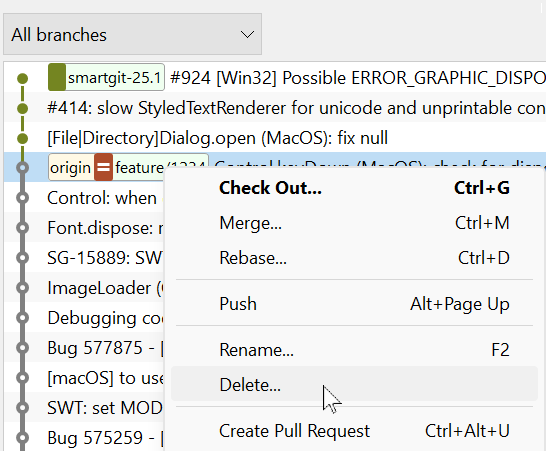
Right-click the branch (in the Branches or Graph view) and select Delete.
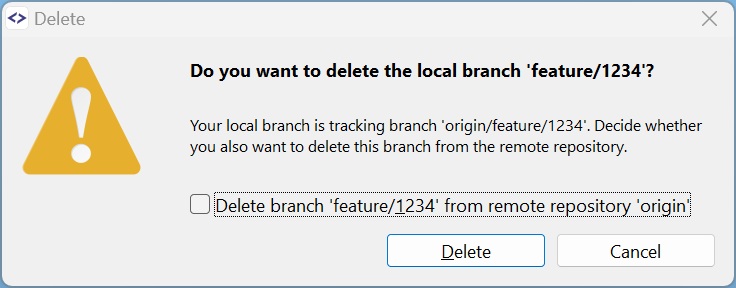
If you want to delete the remote branch, too, select the checkbox. Finally, click the Delete button.